Text Conditioned Relighting (Coupling Stable Virtual Camera and IC-Light)
We perform text-conditioned relighting by steering Stable-Virtual-Camera with IC-Light using coupled sampling. Here we show a relighting rendered object (helmet), as well as relighting real-world scene (Jeep example). We compare against prior works on composing diffusion models, and include the outputs of Stable Virtual Camera and IC-Light without composing them.
Stylization (Coupling Stable Virtual Camera and ControlNet)
We perform stylization by steering Stable-Virtual-Camera with 2D ControlNet using coupled sampling. We compare against prior works on composing diffusion models, as well as specialized stylization baselines. We also include the outputs of Stable Virtual Camera and ControlNet without composing them.
Spatial Editing (Coupling Stable Virtual Camera and Magic Fixup)
We perform stylization by steering Stable-Virtual-Camera with Magic Fixup (which takes coarse edits for the spatial edit) using coupled sampling. We create various 3D spatial edits shown as "Coarse Edit" to prompt the edits. We compare against prior works on composing diffusion models, as well as SDEdit (which was suggested by MagicFixup to take coarse edit as input). We also include the outputs of Stable Virtual Camera and Magic Fixup without composing them.
Envmap Conditioned Relighting (Coupling Stable Virtual Camera and Neural-Gaffer)
We perform environment map conditioned relighting by steering Stable-Virtual-Camera with Neural-Gaffer using coupled sampling. We compare against prior works on composing diffusion models, as well as combining Neural Gaffer with GT NeRF (a previliged input) as a specialized 3D relighting baseline. We also include the outputs of Stable Virtual Camera and Neural-Gaffer without composing them.
How does it work?
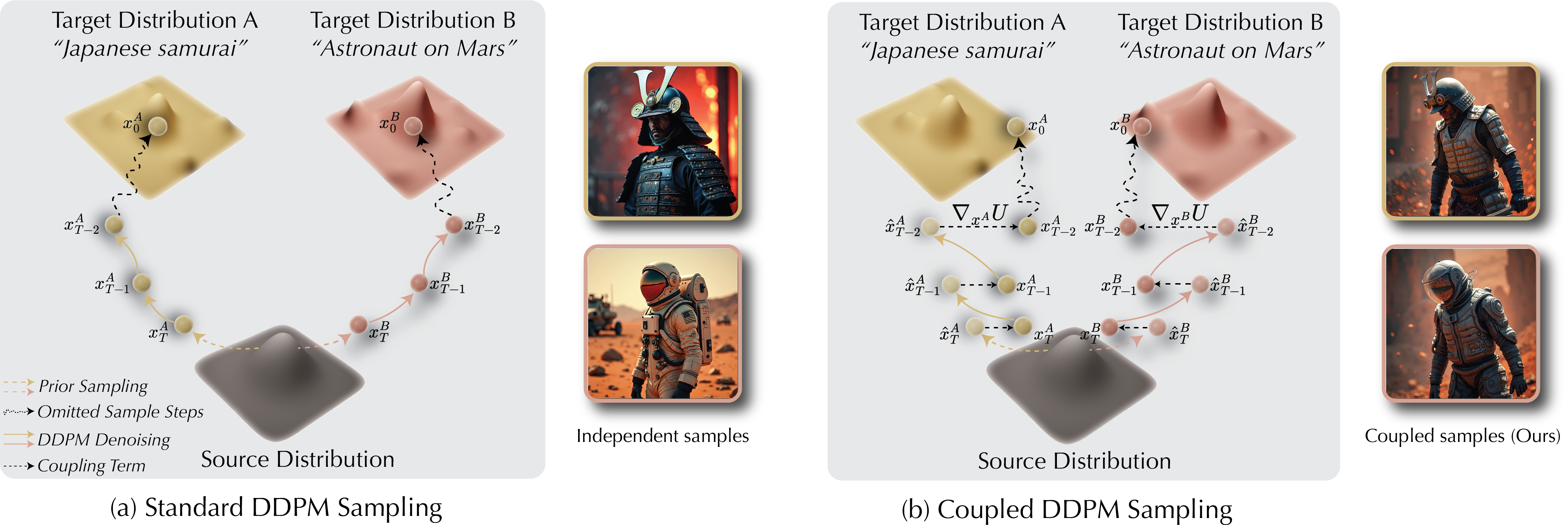
Let's illustrate coupled diffusion sampling with text-to-image generation. Normally, when we generate images for two different prompts (e.g. "Japanese Samurai" and "Astronaut on Mars") we would get completely independent samples (Left). When we introduce coupling in the sampling process (effectively nudging the intermediate denoised latents towards each other), we get samples that are spatially aligned, while each image remains faithful to its conditioning prompt (right). When we implement the coupling between a 2D editing model (on each image individually), and a multi-view diffusion model, then we obtain multi-view editing in a training-free manner!
Application: Generating video editing data (Wan2.1)
We can create paired video editing dataset by coupling a text-to-video model with itself, using two different prompts. As we show below, we perform coupling between samples with distinct prompts, and we produce results that are highly aligned, but remain faithful to their input prompts. We produce these results using the video model Wan2.1 14B.
Application: Extending Video Generation (Wan2.1)
One application of coupled sampling in videos is extending Text-to-Video generation. In particular, we can sample two videos with the same prompt, then perform coupling between the end and start of the two videos, respectively. Here we show an example of extended T2V generation with prompt "A man walking in the city."
Distance Function Comparison
Our formulation requires choosing a distance function to minimize in the coupled sampling. We choose standard euclidean distance (l2 distance) for our experiments, but here we show the effects of different distance functions. We find that l1 distance produces similar results to l2, as expected, since both metrics encourages minimizing the pixel-wise difference. On the other hand, using the cosine distance as a metric produces poor results.
Rocky
Sea
Snow
Effects of Coupling Strength
The main hyperparameter in our method is the coupling strength λ. Here we show the effects of varying λ on the multi-view sample. When λ is 0.0, we get a typical image-to-MV output from stable virtual camera. As we increase λ, the 2D model steers the remaining views to match the input. We find that a range of λ of approximately ~[0.01, 0.02] produces consistent and faithful values. As we increase λ, we see that the output exhibits inconsistencies and flickering. Naturally, the value of λ depends on the backbone model used and the desired task.
Ablation: Guiding the Multi-View Model Only
Our main goal is to steer the multi-view samples using the 2D editing model. However, we show that it is essential to apply coupling on both the multi-view and 2D models to guide each other. Otherwise, the 2D model steers the output in highly inconsistent directions, resulting in a flickering output.
Limitations and Failure Cases
2D Model Identity Preservation
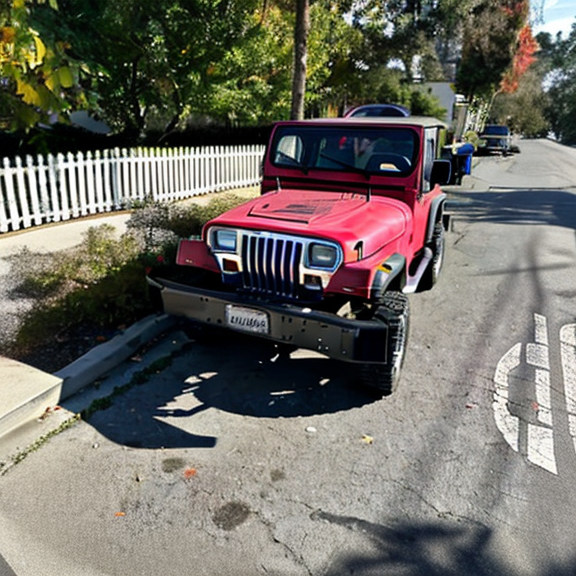
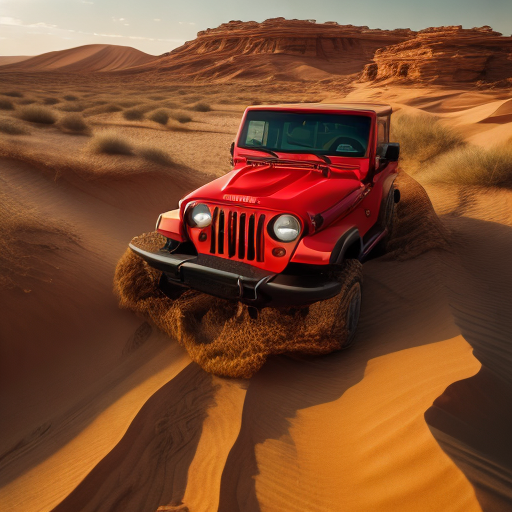
In our multi-view editing, the source of identity preservation is the 2D model. This is because the multi-view generation is conditioned on a single edited image (since we cannot produce multiple consistent edited images), and the only way the multi-view model "observes" the input is through the coupling with the 2D model. As a result, when the 2D model struggles in perfectly preserving the identity (as shown here with IC-Light relighting), we inadvertently match the identity preservation of the 2D model. However, this limitation will naturally improve by improving the base models used.
Out-of-Distribution Edits
Since we rely on pre-trained models, steering them to edits that are out of distribution cannot guarantee the multi-view consistency. For example, when relighting to a very dark target lighting like shown below, we can encounter some flickering in the coupled output. However, we hope as these models are trained on large datasets, the models become increasingly resilient.